WorshipDeck vs EasyWorship
Compare WorshipDeck's browser library with EasyWorship 8 for Mac and Windows volunteer booths.
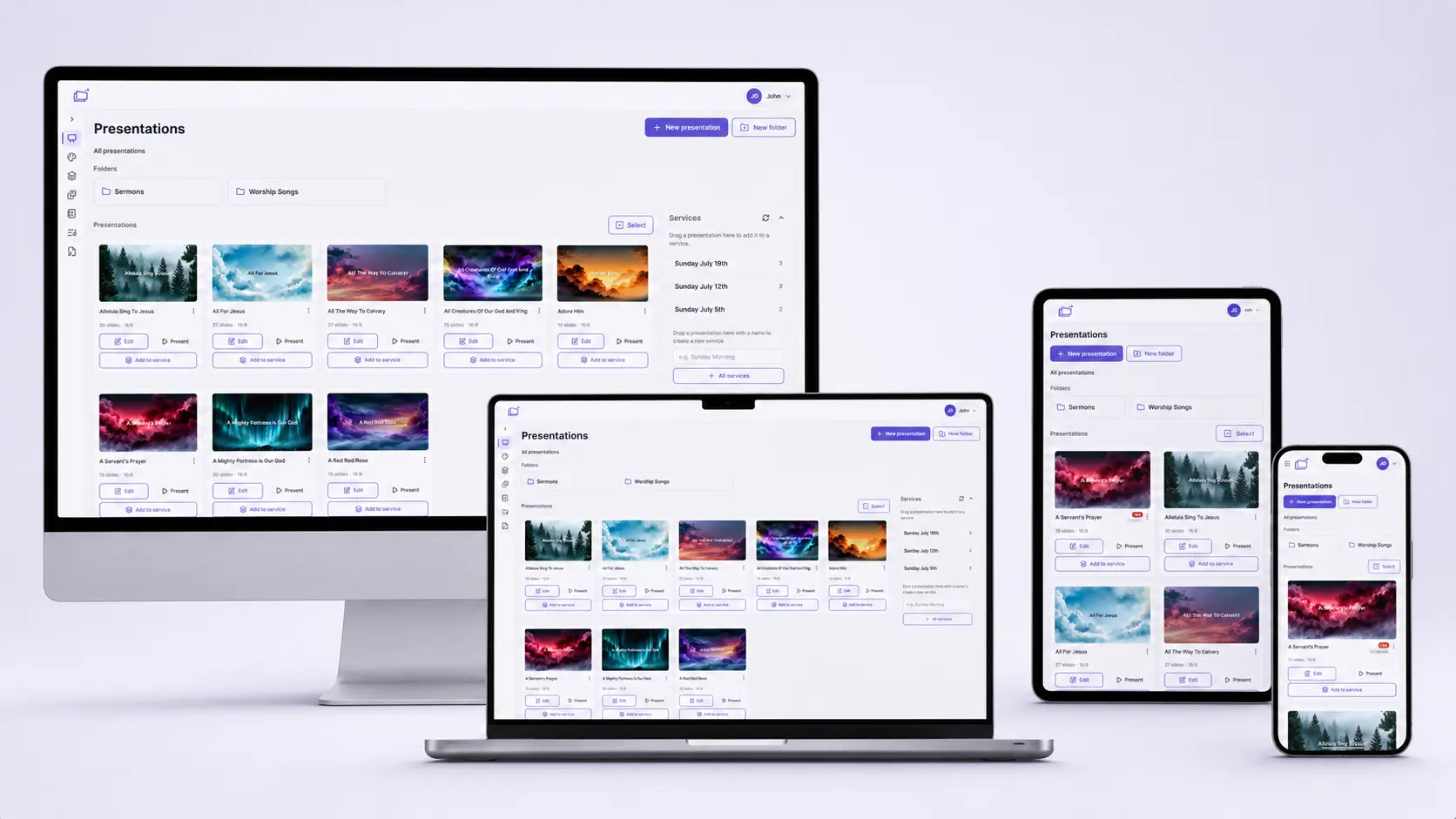
| WorshipDeck | EasyWorship | |
|---|---|---|
| Install and devices | Browser; optional Android TV + Windows host | Mac/Win app |
| Where the library lives | Church cloud workspace | Local schedules; OS-shared in v8 |
| Team prep during the week | Invite, shared library, browser | Prep on installed Mac/Win |
| Live edit without stopping screens | Yes, from present mode | Desktop operator |
| Scripture and songs | Church Bibles; catalog + My songs; no SongSelect | SongSelect; large Bible set |
| AI and media tools | Ezra, Media AI, animate image | Premium bundled media |
| Outputs and multi-screen | Local browser, Android TV, Windows host; variants | Multi-screen, NDI, livestream |
| If the booth PC fails | Sign in on another device | Need another install |
| Pricing model | Subscription; same features, capacity differs | Campus subscription |
| Best fit | Volunteer teams, Chromebooks, shared library | Simple installed volunteer booth |
EasyWorship 8 is the installed campus presenter many volunteer booths already know — now officially on Mac and Windows. WorshipDeck is a web-based alternative to EasyWorship when the library should live in the church workspace, not only on the machines that have the app installed.
Who EasyWorship is for
EasyWorship (Softouch) is volunteer-friendly desktop software for lyrics, media, and Sunday schedules. Version 8 is officially Windows 10/11 and macOS 14+ (Apple Silicon native), with schedules, songs, and media shared across those installs on a campus license. Official pages describe offline presenting on the booth PC, CCLI SongSelect, 90+ Bible translations, and a Premium plan that bundles a media library. Confirm current plans on their site.
That is the right tool when a simple installed app is the whole training plan, and the booth computer is allowed to be the source of truth.
Choose WorshipDeck if
- People need to prep on a phone, Chromebook, or home laptop in the browser without installing the presenter everywhere
- You want Ezra, sermon notes, and a shared team library
- Sunday should allow live service and slide edits from any signed-in browser
- Outputs include Android TV or a Windows display host, not only the booth PC's monitors
- Starter and Church should be the same product, with capacity as the only plan difference — see pricing
Choose EasyWorship if
- You need offline presenting on the installed Mac or Windows booth PC
- SongSelect inside the presenter is a requirement
- Premium's bundled media library is part of how you build Sunday
- Volunteers already know EasyWorship schedules and you want that low learning curve to stay put
Switching notes
There is no EasyWorship importer in WorshipDeck. Rebuild songs and schedules as presentations plus services. EasyWorship 8 can share files across Mac and Windows; WorshipDeck does not inherit that schedule file.
WorshipDeck does not connect to CCLI SongSelect. Store CCLI numbers on songs if you need them on credits slides. See pricing for plan capacity; do not assume a dollar amount from this page.
Related comparisons
If you need more production depth than either volunteer tool, see WorshipDeck vs ProPresenter. Churches that want to own a license outright often compare WorshipDeck vs MediaShout. Zero-budget booths should read WorshipDeck vs OpenLP.
Related
WorshipDeck vs ProPresenter
Compare WorshipDeck and ProPresenter: web-based church slides and a shared library versus desktop live-production software for multi-screen and broadcast rooms.
WorshipDeck vs MediaShout
Web-based church presentation software compared with MediaShout's one-time Windows or Mac site license.
WorshipDeck vs OpenLP
Compare WorshipDeck with OpenLP, the free open-source church presentation app for Windows, Mac, and Linux.
One church library, a whole volunteer team
Invite your worship team, organize ministries, and share one WorshipDeck library across the church. Admins manage roles, billing, and settings; members prep and present from any browser.