Features
Web-based church presentation software
WorshipDeck's editor and live controls run in the browser. Prep and present from Windows, Mac, Chromebook, tablet, or phone, with Android TV, Fire TV, local browser, or multi-monitor Windows and Mac outputs.
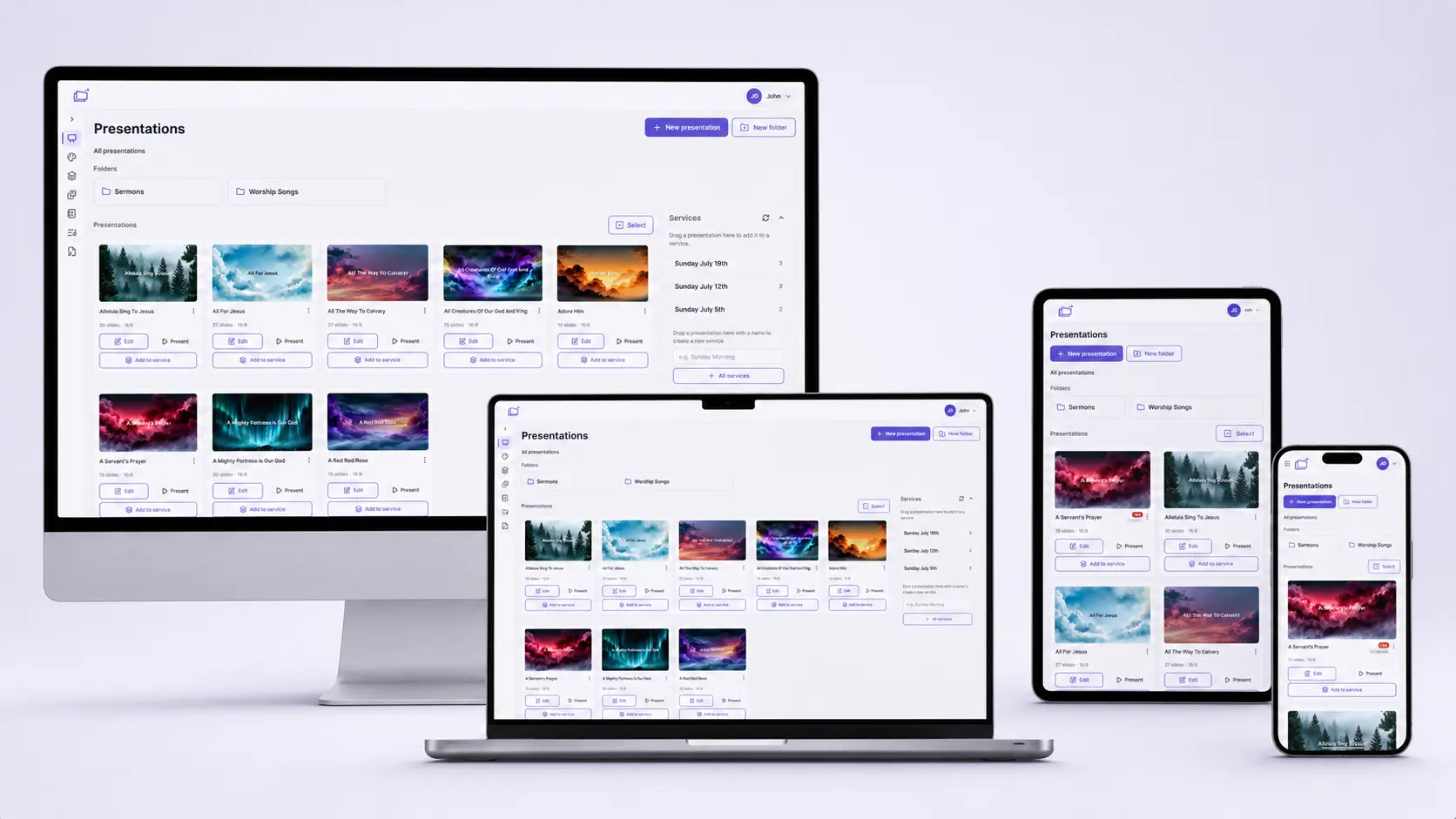
WorshipDeck is web-based church presentation software. You build slides, services, and worship sets in the browser, then present live to the screens in your room, without tying Sunday to one installed machine.
That is the difference most volunteer teams feel first. Prep can happen on a pastor's laptop, a worship leader's Chromebook, or a tablet in the green room. Live control can move to whoever is in the booth. Your library stays with the church, not on a desktop that only one person knows how to unlock.
Church presentation software without a dedicated PC
Traditional presentation setups assume a Windows workstation in the media booth, with the whole service living on that box. If that computer fails, or if the volunteer who "knows the software" is out, Sunday gets fragile.
WorshipDeck is built the other way around:
- Sign in from Windows, Mac, Linux, Chromebook, phones, and tablets
- No desktop installer for the core product: a modern browser is enough
- Presentations, services, songs, media, and sermon notes live in your church workspace
- Invite the team so more than one person can prep during the week
You can still use a booth computer if you want one. You do not have to.
Present from any device in the room
On Sunday, the operator console is just another browser tab. Open present mode from a laptop, Chromebook, or tablet, go live, and drive every display from that surface.
That flexibility matters when:
- The usual media volunteer is traveling
- Youth group meets in a classroom with a TV, not a projector PC
- A campus or plant does not have a full booth yet
- You want to rehearse lyrics at home on the same decks you will run live
Pair this with live presentation and flexible displays so the congregation sees slides on projectors, TVs, Android TV, Fire TV, or paired Windows and Mac monitors, while speaker notes and chord charts stay on stage devices.
Wireless output, including Android TV and Fire TV
WorshipDeck is designed for browser-based presentation across the venue. Control everything from the device in your hand or on the booth desk. You can:
- Drive remote screens such as Android TV or Fire TV without running HDMI to every display
- Host several paired display outputs on one Windows or Mac workstation with the desktop app
- Open local screen windows on a presentation PC when you do want cable-connected projectors
- Mix those outputs in one screen layout so the main auditorium, a lobby TV, and a confidence monitor each get the right content
No special WorshipDeck appliance is required. If your room already has HDMI, that still works. Android TV and WorshipDeck Display for Fire TV provide TV-native remote displays, while the optional desktop app manages several connected monitors as paired Remote outputs and can present from the booth computer.
The browser workspace needs connectivity. When internet resilience matters, use the desktop app to sync the prepared service before Sunday. Items marked Ready offline can start from the desktop Presenter and run on that booth's paired monitors without reaching the server.
For Local browser outputs, Windows and Mac booth computers can instead use the small one-time Automatic fullscreen policy helper. It only removes the browser's per-window fullscreen click and is separate from the full desktop host.
Built for Chromebook churches and volunteer teams
Many churches run ministry on Chromebooks, donated laptops, and shared tablets. Web-based software is how those rooms get a full presentation workflow:
- Build presentations and services during the week
- Pull scripture, songs, and media from the church library
- Go live without installing a heavyweight desktop app
See WorshipDeck for Chromebooks and small churches for Sunday-shaped walkthroughs.
What stays in the browser, and what you still configure once
Week to week, you work in the browser: decks, setlists, notes, and live control. The desktop booth adds a downloaded, offline-ready presentation path; it does not make browser editing available offline.
Once per room (or when you add a display), a church admin sets up screens and layouts so outputs know where to go. After that, volunteers open present mode and run Sunday. Details live on wireless displays and live presentation.
Related
Flexible displays for every room
Drive projectors, TVs, and monitors from WorshipDeck. Pair Android TV, Fire TV, or multi-monitor Windows and Mac outputs, open local browser windows, and route the right content to each display with screen layouts.
Live presentation without stopping the room
Run Sunday from a browser operator console. Preview before you go live, advance slides from the keyboard, annotate, and edit presentations or service order without interrupting congregation screens.
Built for Chromebook churches
Let volunteers prepare and run Sunday from the Chromebooks your church already owns, with flexible outputs and an optional offline-ready Windows or Mac booth.
One church library, a whole volunteer team
Invite your worship team, organize ministries, and share one WorshipDeck library across the church. Admins manage roles, billing, and settings; members prep and present from any browser.