

WorshipDeck vs VideoPsalm
Compare WorshipDeck with VideoPsalm, the free Windows worship software known for huge Bible libraries and bilingual display.
No credit card required
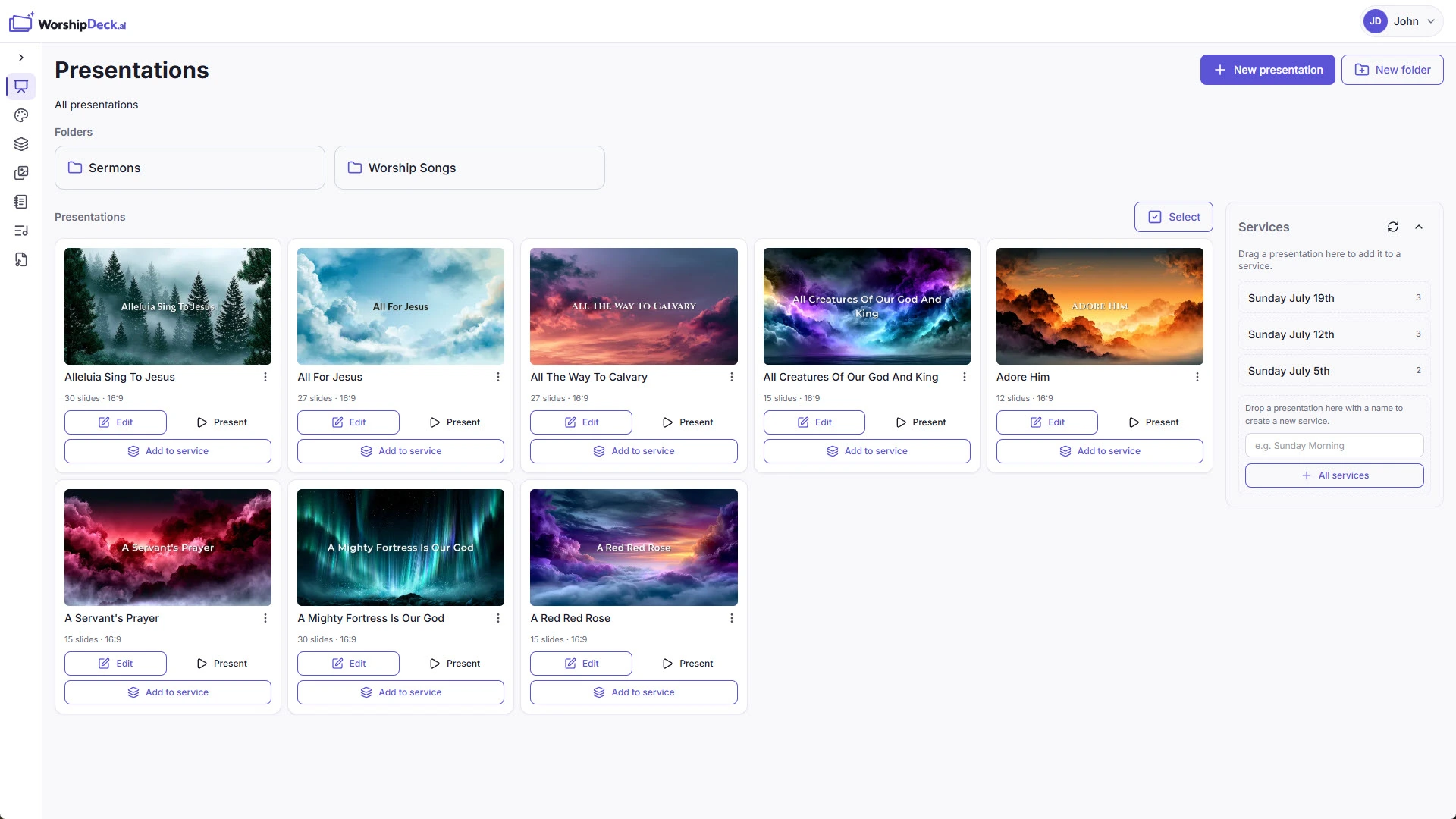
The short version
Neither product wins outright. Here is the honest split before you read any further.
Choose WorshipDeck if
- Operators need Mac, Chromebook, Linux, or phone, not only Windows
- You want a cloud library without USB sticks or folder syncing
- Bilingual Sunday should send a language per screen, not one shared slide
- You want Ezra and a supported, updated product
Choose VideoPsalm if
- The church is international or bilingual and needs that Bible breadth
- The price has to be zero
- Instant search and on-the-fly lyric edits are how the operator works
- Chords on the house screen are a feature you actually want
WorshipDeck and VideoPsalm, line by line
Competitor details checked
| WorshipDeckThis is us | VideoPsalm | |
|---|---|---|
| Getting set up | ||
| Install and devices | Any modern browser on any OS. Optional Android TV, Fire TV, and a Windows or Mac display host. | Windows only. |
| Where the library lives | One church cloud workspace. Sign in anywhere and it is already there. | A portable agenda on the PC or a USB stick. |
| Bringing existing decks in | Drop in PowerPoint .pptx or Keynote .key and keep editing. Lyrics and services are rebuilt natively. | Large song and Bible downloads; confirm import options on their site. |
| Prep during the week | ||
| Team prep during the week | Invite the team and everyone opens the same library in a browser. | Copy the agenda or sync a cloud folder. |
| Scripture and songs | Church-approved Bibles with dual-translation insert, a read-only global catalog, and church-owned ChordPro songs. No SongSelect. | 3000+ translations, large songbooks, bilingual display. |
| AI and media tools | Ezra drafts slides, sermon notes, and lyric arrangements. You approve or skip every change. | Local files plus online media libraries. |
| Sunday morning | ||
| Live edit without stopping screens | Yes. Fix a slide or reorder the service from present mode without touching what people see. | Yes. On-the-fly lyric editing is a headline feature. |
| Outputs and multi-screen | Local browser windows, Android TV, Fire TV, and multi-monitor desktop hosts, each able to show its own variant. | A single all-in-one house display. |
| If the booth computer fails | If the display hosts still work, sign in on another laptop, Chromebook, or tablet because the church library is not stored only on the failed operator. Monitors hosted by the failed computer need another host. | Another Windows PC, plus the agenda. |
| Cost and fit | ||
| Pricing model | Subscription. Starter and Church include the same features and differ only in capacity. | Free. |
| Best fit | Volunteer teams on mixed devices who want one shared library and no booth-PC dependency. | Free, bilingual, and international Windows churches. |
Scroll the table sideways to see both columns.
VideoPsalm is a free Windows power-user tool: instant search, an enormous Bible and song collection, and bilingual output on the house screen. WorshipDeck is a hosted browser product — an alternative to VideoPsalm for churches who want the library to live with the church, and who would rather send each screen its own language than put two languages on one slide.
Who VideoPsalm is for
VideoPsalm is a free Windows worship presenter. Their official pages describe 3000+ Bible translations across 1900+ languages, large songbooks, bilingual display, ChordPro on screen, portable or USB agendas, instant search, and an all-in-one house display covering lyrics, Bible, video loops, PowerPoint, alerts, countdowns, and a live camera background. Churches copy agendas between PCs or sync folders through Dropbox, OneDrive, or pCloud. CCLI fields are supported; confirm current import options on their site. The complete package is free, with no paid modules listed on their homepage.
That is the right tool for international and bilingual Windows churches who live inside instant lyric and Bible search and need the price to stay at zero.
A different answer to the bilingual problem
Both products take multilingual services seriously; they solve it in opposite directions.
VideoPsalm puts two languages on one slide, which works and is simple. WorshipDeck sends a different language to a different screen from the same deck — content variants plus screen layouts mean the main screen can carry one language, an overflow room another, and the stream a lower third, all cued together. For a congregation genuinely split across two languages in one room, that is a real upgrade over a shared slide. For a smaller room with one screen, VideoPsalm's approach is honestly less fuss.
The other differences follow from being hosted rather than installed:
- Any device, not just Windows. Operators use Macs, Chromebooks, Linux machines, tablets, or phones. See web-based.
- No agenda to carry. The current service is wherever you sign in, with no USB stick and no cloud-folder ritual. See team.
- Dual-translation scripture insert. Look up a verse by reference and place a second translation beside it. See scripture.
- Chords for the band, not the room. Presenter views carry chord charts and speaker notes to stage devices while the house screen stays clean.
- Ezra for the first draft. Sermon notes become a draft deck; every change is a proposal you approve or skip. See Ezra AI.
Where VideoPsalm still wins
Bible breadth, decisively. Thousands of translations across nineteen hundred languages is not a number WorshipDeck can answer, and for a mission or diaspora congregation that may be the entire requirement.
Price, equally decisively. The complete VideoPsalm package is free.
Instant search is a genuine workflow advantage for an experienced operator, as is on-the-fly lyric editing, which their site highlights as a headline feature.
And if you want ChordPro on the congregation screen, VideoPsalm treats that as a feature while WorshipDeck treats it as something to keep on the stage feed. Neither is wrong, but only one matches what you already do.
VideoPsalm also keeps its agenda local with no sync preparation. WorshipDeck's desktop app can run offline too, but the booth must first sync presentations and services until they show Ready offline. Those downloaded items can then start after an app restart and run on the booth's paired monitors without the server.
Moving your Sunday over
Check the translations first, before anything else. If the languages your congregation reads are not among WorshipDeck's church-approved Bibles, stop here — nothing else in this comparison outweighs that.
If the translations do work, songs come next. There is no VideoPsalm importer, so paste lyrics into songs as ChordPro. Your existing ChordPro habits transfer directly, which makes this an easier rebuild than most, and the same source then generates lyric slides, the chord chart, and the credits slide.
Decks already saved as PowerPoint or Keynote import straight into the presentation library as .pptx or .key. Since VideoPsalm can show PowerPoint files inside its house display, some churches find most of their non-lyric content is already in that format and comes over quickly. Review fonts and embedded video afterwards.
Then set up bilingual output properly with content variants rather than recreating two-language slides. It is more setup once and less work every week.
Related comparisons
The other free installers are WorshipDeck vs OpenLP, which also runs on Linux, and WorshipDeck vs FreeWorship. Churches still running Sunday from generic slides should read WorshipDeck vs PowerPoint.
Related
WorshipDeck vs OpenLP
Compare WorshipDeck with OpenLP, the free open-source church presentation app for Windows, Mac, Linux, and FreeBSD.
WorshipDeck vs FreeWorship
Compare WorshipDeck with FreeWorship, the free Windows church presenter with an optional Pro upgrade.
WorshipDeck vs PowerPoint
Compare WorshipDeck with PowerPoint and Google Slides for church lyrics, scripture, and live services — including importing the decks you already have.
Scripture-Ready Slides for Every Translation You Use
Insert Bible verses into church presentations with your church's translations, including dual-language slides, verse numbering, red letter, and verses-per-slide control. Preferred Bibles are set once for the whole team.
Common questions
No install, no seat to activate
See how it feels on your own Sunday
Bring in a PowerPoint or Keynote deck, build one service, and decide for yourself whether VideoPsalm is still the right home for it.
No credit card required